


A patient calls to ask why nobody answered the form they submitted three days ago. You turn to the front desk and ask where website forms go. The answer begins with, “I think…”
It is Thursday at 12:40. The morning ran late. There is a half-eaten sandwich beside the keyboard and twenty minutes before the next patient walks in.
Your receptionist says online requests usually arrive in the shared inbox. The office manager says appointment requests also appear in the scheduling system. Somebody remembers that the person who built the website connected another form years ago, but that person no longer works with the practice.
You log in and find three plugins with similar names, two notification addresses, and an old administrator account nobody recognizes.
Then a plain question lands on the desk:
Where does the patient’s information actually go?
Nobody is careless. Nobody built a large machine. The website simply collected small additions over time—a form here, a calendar there, analytics installed by one vendor, a chat widget added by another. Each decision seemed harmless on its own.
One submission may now split into six directions.
The form platform receives it. An email service forwards it. A CRM stores it. An analytics script records the event. A session-replay tool watches the page. A calendar vendor handles the booking. A staff member downloads a spreadsheet and leaves it in a folder named New leads final 2.
Everyone remembers the form.
Almost nobody remembers the journey.
That journey—not the lock icon, not the privacy-policy link, not the word “secure” under the button—is where a HIPAA-conscious website begins.
This article will help you map it. You will see what a HIPAA compliant website actually demands from its design, builder, vendors, and development team. You will get a practical checklist. And you can run our free HIPAA risk scanner to surface public-facing warning signs that are easy to miss by eye.
A warning before we go further: this is practical design and technical guidance, not legal advice or a certification. HIPAA obligations depend on who you are, what information you handle, how it moves, and which vendors touch it. Use this to ask sharper questions with your privacy, security, and legal teams—not to replace them.
The form is only the front door
People often ask whether a website is “HIPAA compliant” as if compliance were a feature you switch on beside dark mode.
It is not.
A website is an arrangement of promises, code, people, vendors, contracts, devices, and habits. The form is just the clean white door the patient can see. Behind it sits the plumbing.
That plumbing can include:
- the website host and content management system
- form and scheduling software
- email and SMS delivery
- customer relationship management tools
- analytics, advertising pixels, and tag managers
- chat, call tracking, and session replay
- cloud storage and backups
- support desks and development logs
- staff accounts, exports, and personal devices
Use the HIPAA vendor directory to verify those product boundaries against current official documentation. For common website paths, start with the reviews of Google Analytics , Meta Pixel , and Calendly .
A page can use HTTPS and still send sensitive information somewhere it should not go. A builder can advertise healthcare features while one added plugin quietly changes the data path. A vendor can say “HIPAA ready” while the contract in front of you contains no business associate agreement.
The visible page is not the system.
The system is every place the data touches after the patient trusts you with it.
First, ask whether HIPAA applies to you
HIPAA does not govern every health-related website in the United States. It generally applies to covered entities—such as many healthcare providers, health plans, and healthcare clearinghouses—and to business associates performing certain work involving protected health information on their behalf.
That distinction matters. A wellness publisher, a medical practice, a health app, and a hospital may collect similar-looking information while facing different legal duties. Other federal and state privacy rules can still apply even when HIPAA does not. The FTC, for example, enforces rules and prohibitions that can reach some health apps and consumer health-data practices outside HIPAA.
Do not begin with the software.
Begin with four questions:
- Are we a HIPAA covered entity or business associate?
- Could this website create, receive, maintain, or transmit protected health information?
- Which exact pages and workflows collect or expose that information?
- Which people and companies can access it afterward?
The words around the data matter too. An email address alone is not automatically a medical record. But identity combined with appointment details, symptoms, treatment interest, patient-portal behavior, or other health context can become sensitive quickly. Do not let a tidy field label make you careless about what the submission reveals.
HHS maintains the authoritative starting points for the HIPAA Privacy Rule , Security Rule , business associates , and online tracking technologies . Read the current guidance with qualified counsel because this area changes, and the facts of the implementation matter.
Follow one submission all the way through
Open your most sensitive public form. Do not inspect the headline or button color. Submit a test entry and follow it like a dropped banknote in a crowded train station.
Start with what the patient sees.
1. What does the page collect?
List every field, including free-text boxes. Free text is dangerous because patients do not respect the neat boundaries imagined by a form designer. Label a box “How can we help?” and someone will give you a diagnosis, medication list, pregnancy status, insurance problem, and the story they have been rehearsing all week.
Collect only what the workflow needs at that moment. If the first step only needs a callback number and preferred time, do not ask for a miniature medical history because the form template made it easy.
2. What fires before and after submission?
Use browser developer tools, a tag audit, and your consent configuration to see which requests leave the page. Look for analytics, advertising pixels, tag managers, chat widgets, heatmaps, session replay, call tracking, embedded calendars, CDNs, error reporting, and A/B testing tools.
The dangerous assumption is: “We do not send the form fields to analytics, so analytics cannot see anything important.”
URLs, page titles, query parameters, element text, button names, IP addresses, cookies, device identifiers, and events can reveal more context than expected. A thank-you URL such as /appointment/oncology/confirmed?email=... has already said too much.
3. Where is the submission stored?
Trace the server-side path. Does the entry live in the form builder, your CMS database, an inbox, a CRM, a scheduling platform, a spreadsheet, or all five? How long is each copy retained? Are backups encrypted? Can support staff at a vendor view it? Does a developer see production payloads in logs when something breaks?
If the answer is “probably,” the map is not finished.
4. Who receives it?
Write down roles, not just company names: receptionist, practice manager, agency, hosting support, form vendor, CRM administrator, developer, analytics contractor. Then record how each person authenticates and what happens when they leave.
Shared passwords and forgotten accounts turn a polished website into an unlocked filing cabinet.
5. Which contracts support the promises?
When a vendor is acting as a business associate, the HIPAA Rules generally require written assurances in a business associate contract. A BAA is not a magic shield, and signing one does not make a broken implementation safe. But “the vendor says they work with clinics” is not a substitute for knowing the relationship, contract, configuration, and safeguards.
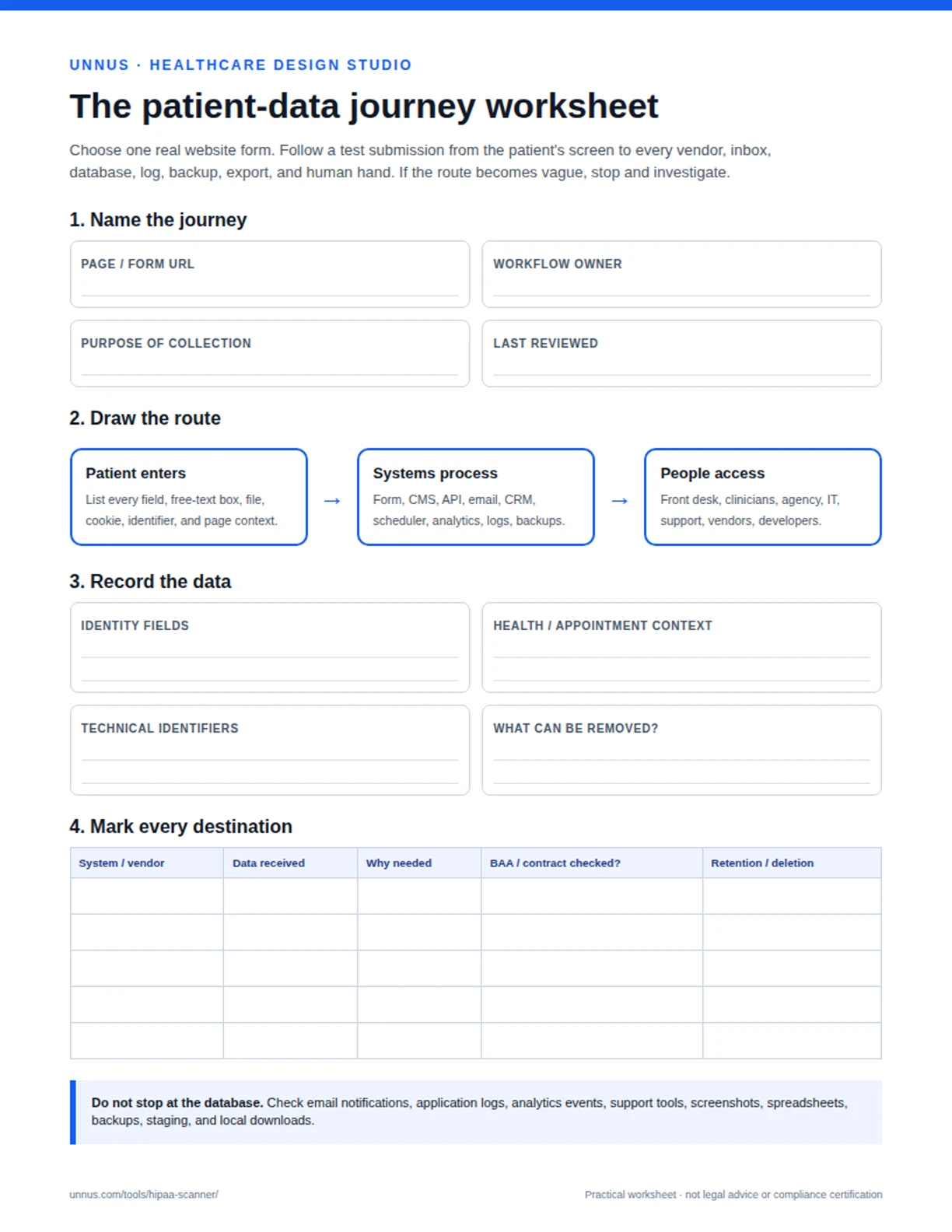
Download the companion worksheet and map one real submission with your team:
Patientdata journey worksheet (PDF)
It gives you a one-page route map, vendor register, BAA check, retention questions, and an owner column so the audit does not die in a meeting.
The website builder is not the whole website
Searches for a HIPAA compliant website builder usually begin with a reasonable hope: choose the right platform and make the risk smaller.
The right platform can help. It can offer access controls, encryption, logging, backups, secure infrastructure, and willingness to sign an appropriate BAA. But the builder is one layer. Your forms, plugins, scripts, integrations, staff behavior, and configuration can still create exposure.
When evaluating a builder or managed platform, ask:
- Will the vendor sign a BAA for the specific plan and services we use?
- Which products are covered by that agreement, and which are excluded?
- Where is data stored, backed up, and processed?
- Can we enforce individual accounts and multi-factor authentication?
- Are access logs available and useful?
- Can sensitive forms avoid ordinary email delivery?
- Can we control third-party scripts by page and consent state?
- How are updates, vulnerabilities, and incidents handled?
- What happens to stored data when we leave?
- Can our team configure the platform without working around its safeguards?
Beware the badge parade. “SSL secured,” “encrypted,” “SOC 2,” and “HIPAA eligible” can each describe something useful, but none answers the entire question. Ask what is covered, under which configuration, in whose responsibility model, and with which contract.
A builder does not make a website compliant in the same way a safe does not make an office honest.
It gives you stronger walls. You still decide who gets a key and where people leave the papers.
What HIPAA-conscious design looks like
Privacy is often treated as a development problem because code feels technical and therefore serious. But design decides what gets collected, when it is requested, how much context leaks through the interface, and whether a frightened person understands what will happen next.
Good HIPAA compliant website design starts by reducing unnecessary exposure.
Ask less at the beginning
Do not collect detailed clinical information when a minimal contact request will do. Separate a general inquiry from an intake workflow. Move sensitive intake into an appropriate secured system rather than stretching a marketing form until it becomes a medical chart with a prettier submit button.
Make the boundary visible
Tell people what a form is for, whether it should be used for urgent issues, and what happens after submission. Do not imply that an ordinary contact form is a private clinical channel when it is not designed to be one.
Keep secrets out of URLs
Design flows so names, email addresses, conditions, appointment types, and form answers do not appear in query strings or descriptive confirmation URLs. URLs leak into browser history, logs, analytics, screenshots, and referrer data.
Treat embeds as doors
A calendar, map, video, chat box, payment widget, review badge, or social embed is not merely a rectangle on the page. It is another company’s code running inside the patient’s visit. Decide whether it belongs there before decorating around it.
Design for staff reality
The safest workflow nobody can operate will grow a workaround. Staff will copy, forward, download, photograph, and improvise when the official path is slow or confusing. Watch the front desk use the system. Build the secure route so it is also the obvious route.
That is what good healthcare website design does: it makes clarity and safety part of the path instead of legal dust sprinkled over the footer.
What development has to protect
Design limits what enters. Development protects what happens next.
A HIPAA-conscious development process should examine the complete data lifecycle: collection, transmission, processing, storage, access, logging, backup, retention, and deletion. The exact safeguards depend on the system and risk analysis, but these are the places where teams should press hard.
Transmission and storage
Use modern encrypted transport. Protect stored sensitive data appropriately. Do not assume the database is the only storage location; submissions may also appear in queues, caches, backups, log files, email systems, monitoring dashboards, and local exports.
Authentication and access
Give people individual accounts. Require strong authentication and multi-factor authentication where appropriate. Apply least privilege. Remove access promptly. Review privileged accounts rather than waiting for an incident to reveal them.
Logging without confession
Logs help diagnose failures, but careless logs can copy the exact payload you were trying to protect. Keep sensitive fields out of application logs, analytics events, error traces, support screenshots, and debugging tools. Review what your monitoring platform receives when a form fails.
Third-party code
Maintain an inventory of scripts and integrations. Pin down who approved each one, what it collects, which pages it runs on, and whether it is still needed. Tag managers make deployment easy; they can also make accountability disappear.
Environments and testing
Do not use real patient information in development, staging, screenshots, tickets, or demos. Restrict non-production access. Scrub test fixtures. Make sure a staging copy is not publicly indexable and quietly sending form entries to production vendors.
Updates and incident readiness
Know who patches the CMS, dependencies, server, and plugins. Monitor failures and suspicious access. Maintain recovery procedures. Decide who gets called when data goes somewhere unexpected—before Friday night makes the decision for you.
HIPAA compliant website development is not one secure-form plugin. It is disciplined custody.
The HIPAA website checklist
Use this checklist as a first pass. It is deliberately blunt. A checked box is evidence to inspect, not a certificate to frame.
Scope and ownership
- We know whether we are a covered entity, business associate, or neither.
- One named person owns website privacy and security decisions.
- We have identified the pages and workflows that may involve PHI.
- We maintain a current inventory of website vendors and scripts.
Forms and patient flows
- Each form collects only what is needed for that step.
- Sensitive free-text prompts are avoided or handled appropriately.
- Sensitive information does not appear in URLs or query parameters.
- Confirmations explain what happens next without exposing details.
- Urgent-care and emergency limitations are clear.
Vendors and contracts
- We know which vendors create, receive, maintain, or transmit PHI.
- Required BAAs are signed and match the products actually in use.
- Vendor access, subprocessors, storage, retention, and deletion are understood.
- Departed vendors and abandoned integrations have been removed.
Tracking and embeds
- We have inspected network requests on sensitive pages.
- Analytics and advertising events exclude sensitive values and context.
- Session replay, chat, call tracking, and embedded schedulers have been reviewed.
- Tags cannot be published without an approval trail.
- Consent tools are configured and tested rather than merely installed.
Technical safeguards
- Data is protected in transit and at rest as appropriate.
- Staff use individual accounts and appropriate MFA.
- Access follows least privilege and is reviewed.
- Sensitive payloads are excluded from logs and error tools.
- Backups, exports, and test environments are included in the data map.
- Updates, vulnerability handling, monitoring, and incident response have owners.
Human reality
- Front-desk staff can explain where a submission arrives.
- Nobody needs a shared inbox, shared password, or local spreadsheet workaround.
- Training reflects the website workflow people actually use.
- The map is reviewed when a plugin, form, campaign, or vendor changes.
If half of those answers live in somebody’s memory, your first job is not buying another platform. It is getting the system out of people’s heads and onto one accountable map.
Scan what you cannot see
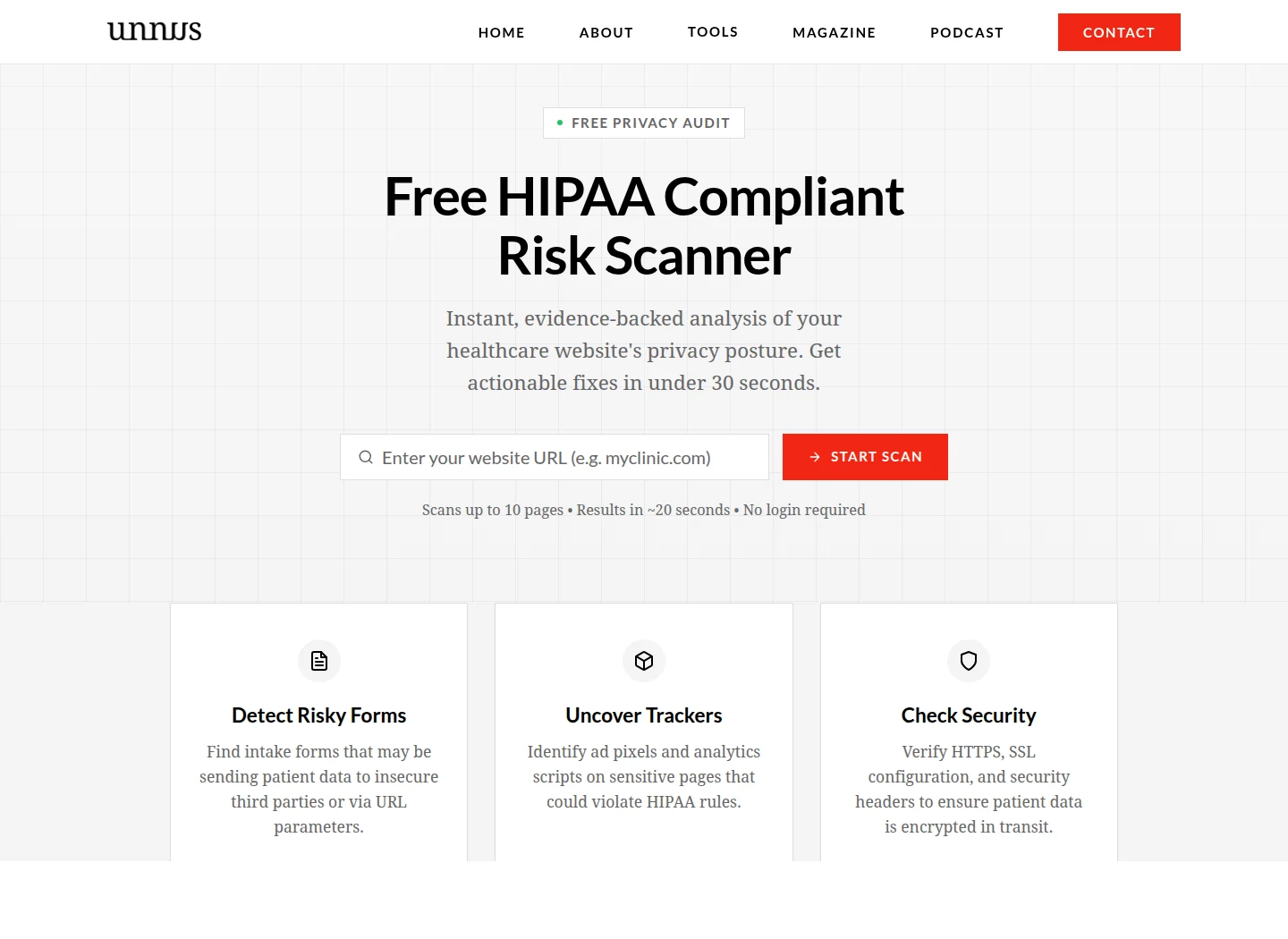
A visual review cannot tell you everything running behind a page. That is why we built the free HIPAA risk scanner .
Give it a public website URL and it checks for observable warning signs such as risky tracking technology, exposed configuration, insecure behavior, and other technical signals worth investigating. The result gives your team a cleaner place to begin than “the website has a padlock, so we are probably fine.”
Run the free HIPAA website risk scan →
The scanner does not inspect private systems, read your contracts, perform a formal risk analysis, or certify compliance. No automated tool can see every data flow, staff habit, vendor agreement, or backend configuration from the public internet.
Use it as a flashlight.
Then follow the beam.
Compliance is not a footer badge
The patient who filled out your form will probably never ask which JavaScript libraries fired, where the webhook landed, or whether your scheduling vendor’s BAA covers the exact product tier you bought.
They should not have to.
They came to you because something hurt. They handed over information because the page wore your name and your reputation. Every vendor, script, inbox, export, and staff account behind that page borrowed the same trust.
A HIPAA compliant website is not a finished object. It is a maintained chain of custody.
Map one real submission. Remove what does not need to collect. Question every invisible witness. Put contracts beside configurations. Give each risk an owner. Repeat the exercise when the site changes, because websites do not stay still just because the privacy policy does.
Start with the patientdata journey worksheet . Then scan the public site .
If your team is already buried under patients, campaigns, vendor calls, and the work that keeps the doors open, we can do the website review and dataflow mapping for you . We will trace what the public site exposes, document the systems touching each submission, and turn the knot into a prioritized list your technical, privacy, and legal teams can act on.
You do not have to spend a Friday afternoon opening tag-manager containers and chasing forgotten form plugins. But somebody has to follow the data.